reserved seating
Seating charts that connect to everything else
Sell reserved seats, run concessions, scan entry, and report on everything — all from one platform.
Selling reserved seats shouldn't require three platforms
Most organizations build a seating chart in one tool, sell tickets in another, and figure out check-in on event day. The result is duplicated work and disconnected data.
How it works
From chart to check-in. One system.
Most organizations build a seating chart in one tool, sell tickets in another, and figure out check-in on event day. The result is duplicated work, disconnected data, and no clear picture of what sold, who showed up, or how much you made.
1
Send us your layout
Share your existing seating chart and we'll convert it for you. Once it's set up, you configure pricing, tiers, and sections however you want for each event.
2
Sell tickets
Publish your event with reserved or general admission seating. Buyers pick their seats, pay online, and receive QR tickets automatically.
3
Run the event
Scan tickets at the door, accept tap-to-pay for walk-ups and concessions, and track attendance in real time. Everything connects back to the same event.
One chart. Infinite configurations.
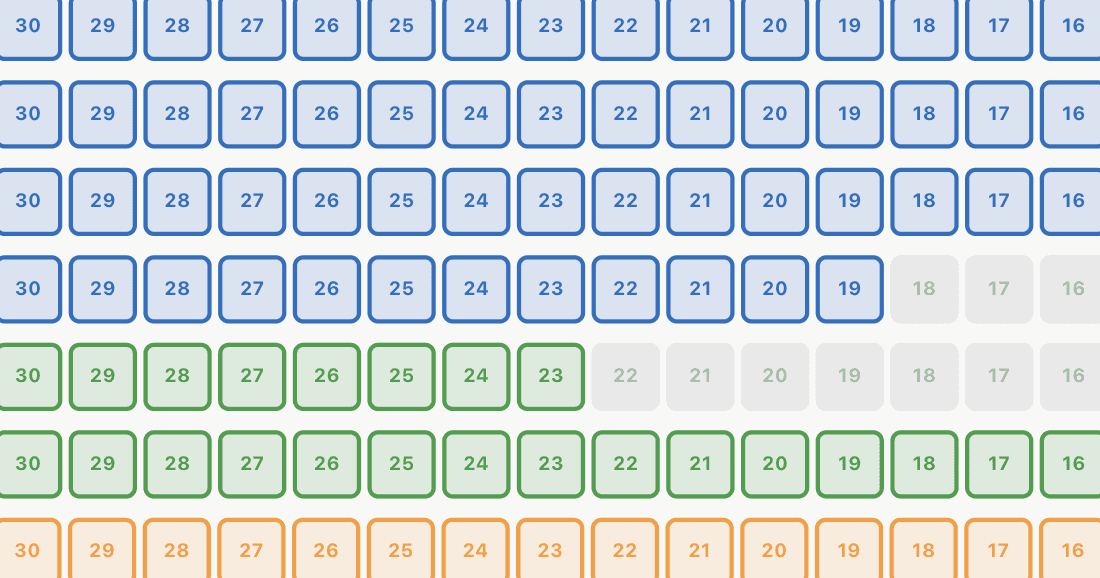
Tiered by section
Price seats by location. Front rows as VIP, center as standard, sides as economy. Audiences pick their exact seat and see pricing by tier.
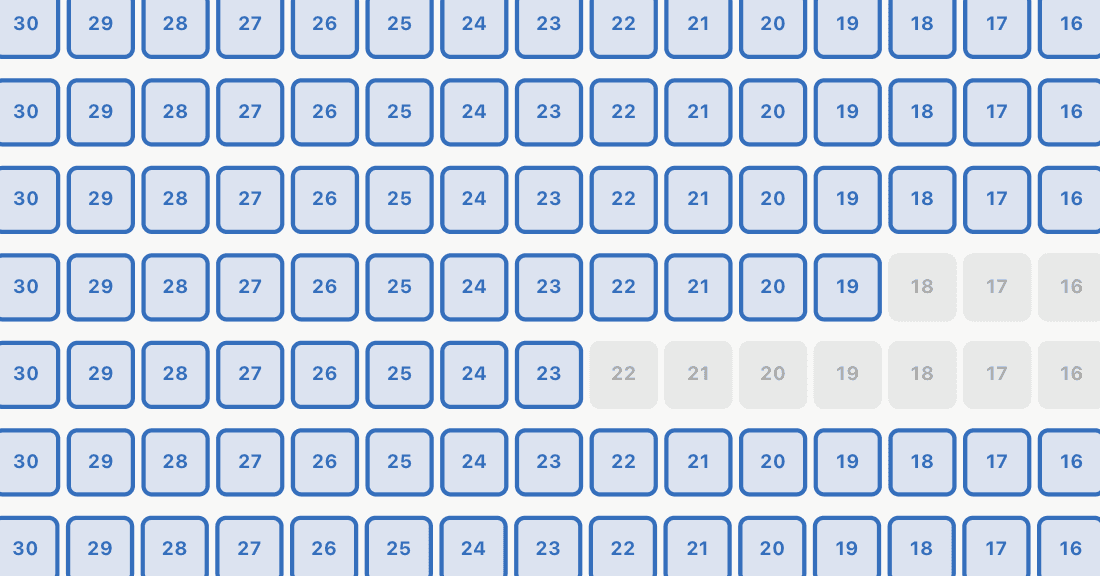
Tiered by group
Price by audience. Adults, students, seniors, and children. Everyone picks a seat, but the price depends on who's buying.
Need General Admission without assigned seats? Admittee handles that too.
Everything you need for ticketed events
We build your chart
Send us your existing layout and we'll create your seating chart. You set tiers, pricing, and sections for each event.
Online ticket sales
Sell reserved or general admission tickets online. Buyers get QR tickets via email automatically.
Promo codes
Offer discounts for groups, early birds, sponsors, or staff. Or issue comp tickets for VIPs and volunteers.
On-site scanning
Scan QR tickets at the door from an iPhone or iPad. See real-time attendance as people check in.
Tap-to-pay concessions
Accept concession payments and walk-up admissions on-site with tap-to-pay. No extra hardware needed.
Sponsor placement
Feature sponsors on your event page. Give them visibility while keeping your branding clean.
Form collection
Add custom fields to ticket purchases — waivers, t-shirt sizes, emergency contacts, or group information.
See who's coming, track check-ins, and export attendance reports after the event.
Revenue reporting
See what sold, what was comped, and what came in at the door — broken down by event, tier, or date.
Built for any venue with seats to fill
School auditoriums
Plays, concerts, award ceremonies, and assemblies. Sell reserved seats to parents and community members from the same platform that manages your facility calendar.
Community theaters
Season performances, one-night shows, and fundraiser galas. Build a chart once, reuse it across events, and track revenue by show.
Churches & chapels
Special services, holiday events, and guest speaker nights. Manage reserved or open seating with email confirmation and QR check-in.
Gyms & multi-use spaces
Tournaments, showcases, and competitions with bleacher or floor seating. Set sections and tiers for any layout.
Seating charts are just the start
Admittee isn't just a ticketing tool. Seating charts connect to facility scheduling, event management, payments, and reporting — so your event lives in the same system as everything else on your calendar.
Trusted by schools and organizations across the country





Common questions about seating charts
Recent updates
July 2026
A facility Timeline view, general admission seating, per-ticket-type capacity, operator rental editing, and event guests.
June 2026
Facility rentals end to end — booking pages, e-signature contracts, COI upload, invoices, and customer rate classes.
April 2026
Assigned seating on mobile, a full month calendar view, and more flexible transaction reporting.
See seating charts in action
Build a chart, sell tickets, and run your next event from one platform.