Managing Your Personal Profile
Your personal profile in Admittee helps keep your account accurate and ensures you receive the right notifications. Each user can update their own details at any time.
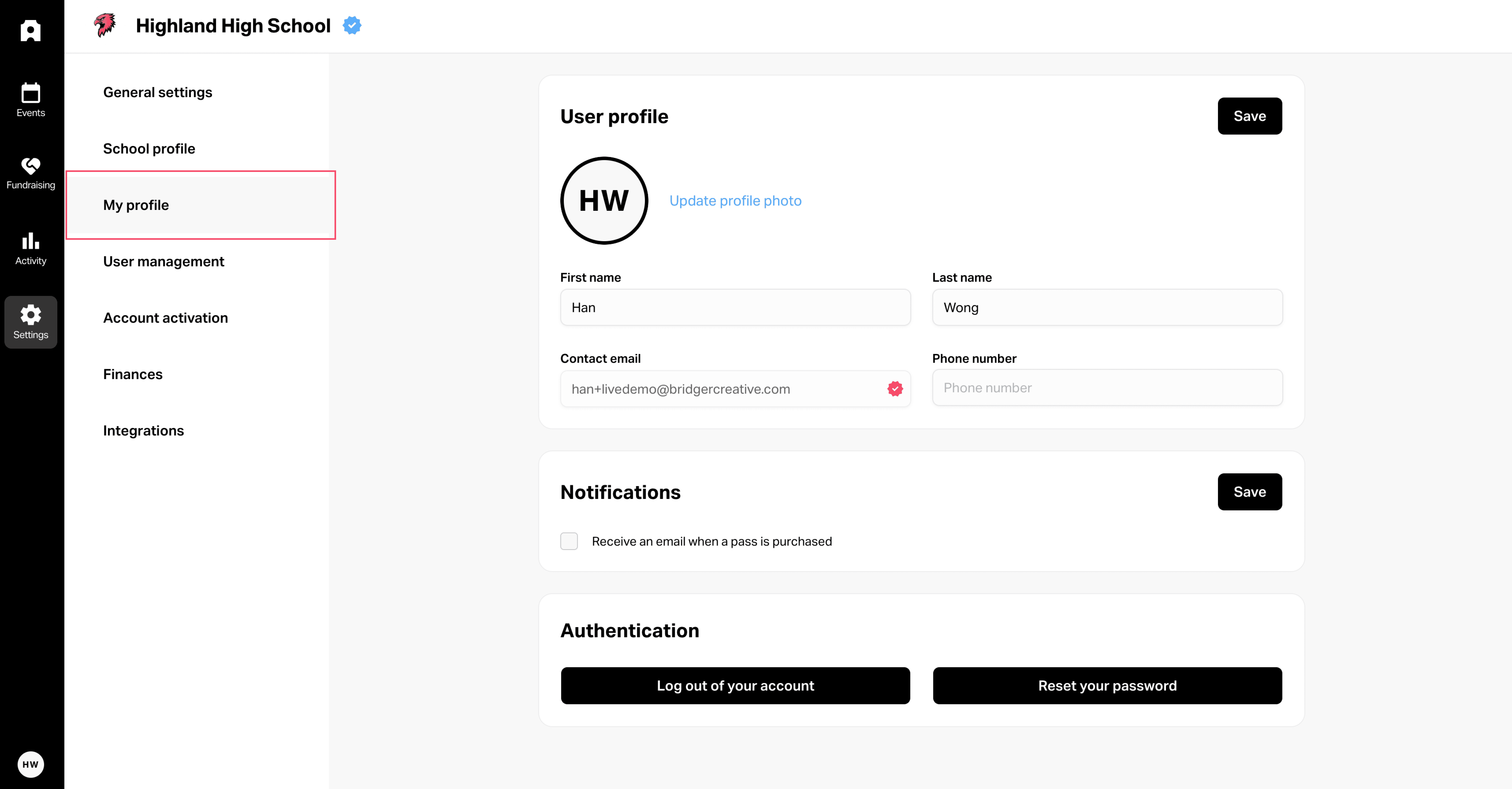
📍 Where to Find It
Go to Settings > My Profile.
From here, you can update your personal information, notifications, and login settings.
📝 What You Can Update
Name & Photo → Keep your profile recognizable for your team.
Contact Information → Update your email and phone number so others can reach you if needed.
Notification Preferences → Choose whether you receive email notifications for ticket purchases, donations, or other activities.
Password → Reset your password if needed to keep your account secure.
💡 Best Practices
Use your real name and contact info so event organizers know who you are.
Upload a photo if multiple volunteers or staff share access — it helps differentiate accounts.
Set notification preferences to match your role.
Update your password regularly for added security.
✅ Keeping your profile up to date ensures you get the right notifications and makes collaboration smoother for your entire team.
Managing Your Personal Profile
Written By: Jeremiah Simpson
Last Updated on Sep 22, 2025
Your personal profile in Admittee helps keep your account accurate and ensures you receive the right notifications. Each user can update their own details at any time.
📍 Where to Find It
Go to Settings > My Profile.
From here, you can update your personal information, notifications, and login settings.
📝 What You Can Update
Name & Photo → Keep your profile recognizable for your team.
Contact Information → Update your email and phone number so others can reach you if needed.
Notification Preferences → Choose whether you receive email notifications for ticket purchases, donations, or other activities.
Password → Reset your password if needed to keep your account secure.
💡 Best Practices
Use your real name and contact info so event organizers know who you are.
Upload a photo if multiple volunteers or staff share access — it helps differentiate accounts.
Set notification preferences to match your role.
Update your password regularly for added security.
✅ Keeping your profile up to date ensures you get the right notifications and makes collaboration smoother for your entire team.